
'%20fill='%231B1F23'/%3e%3c/svg%3e)
I have a 2nd gen iPad running iOS 9.3.5 that somehow still works. Runs the classics like Smash Hit, Subway Surfers and Shadow Fight just fine, even though its been over 15 years since those games first hit the App Store! Here is how I made a flight tracking UI that runs on a simple web page for Safari on iOS 9.
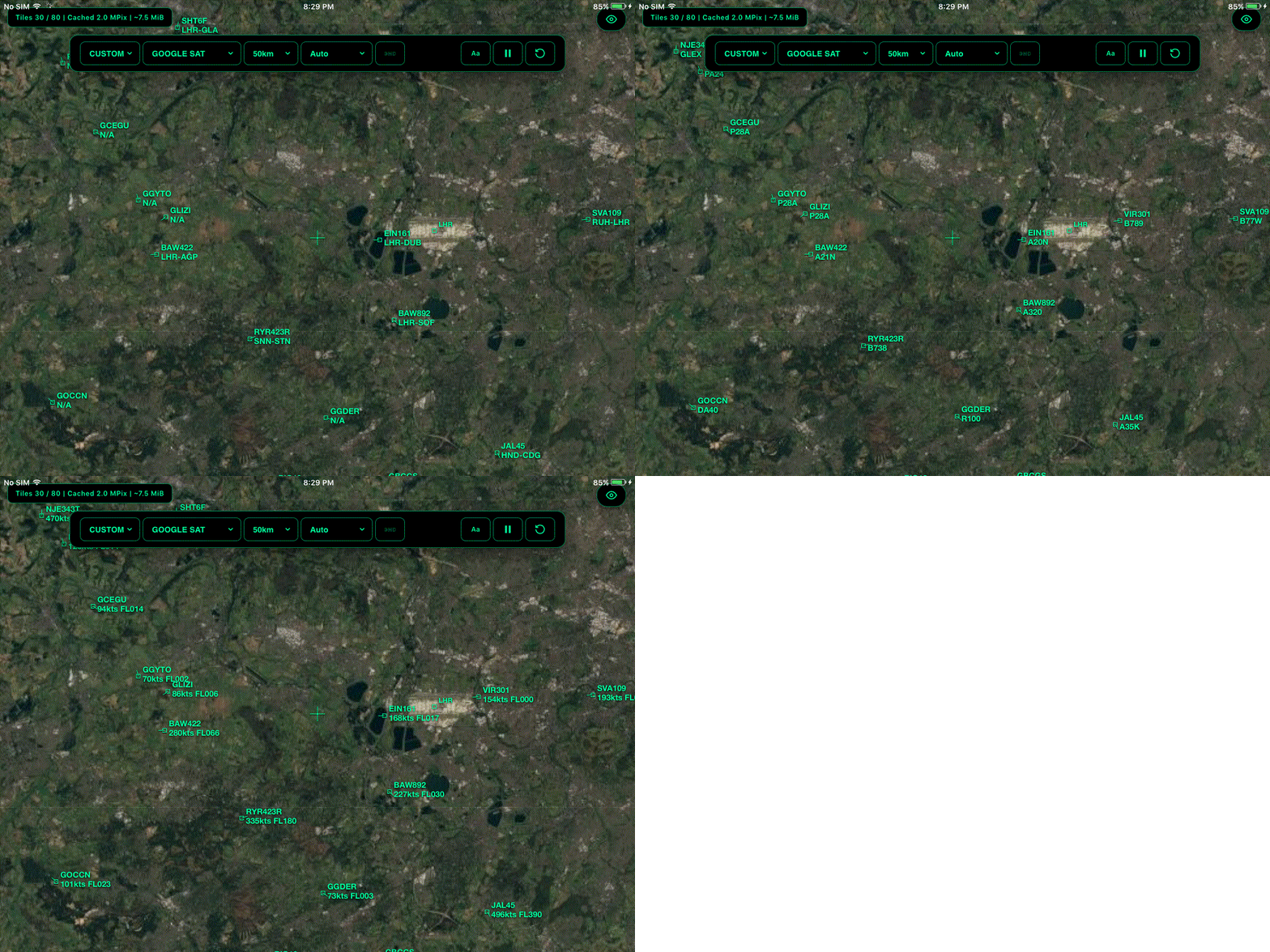
air traffic over London Heathrow (EGLL/LHR)
Here’s info on the device itself: released in 2011, iPad2,2 - it’s got just 512MB of LPDDR2 RAM and a 32-bit dual-core ARM Cortex-A9 (the SoC is called A5) with a max clock of 1.0 GHz. Respectful for 2011 but uhm yeah the 45nm process node used in the A9 back then is almost archaic compared to Apple’s latest 2nm process node in the M6!
Soo I ended up with a 1400-line index.html file without any bundler, framework or build step. It is deployed to Vercel as a static file. Claude sped up the ES5 translation and canvas compat so that it can actually run on iOS 9 Safari.
The data comes from SkySentry, which is another modern flight tracker I built that uses the unofficial FlightRadarAPI. The core loop is very simple: poll every 5 seconds over POST, sending the current center coordinates and radius, get back a JSON array of flights with position, heading, speed, altitude, callsign, route, and more, then render it on the canvas carefully over all the satellite/map tiles.
Rendering everything on one canvas
Everything is drawn on a single <canvas> element that fills the viewport. The satellite/map tiles are drawn first (fetched from Google Maps, ESRI, or OSM tile servers), a crosshair marks the center (started as a debugging aid, but I left it in), a few major airports are drawn as small squares with labels and then aircraft are drawn as squares with heading lines and radar-like blip labels.
The labels cycle through callsign, aircraft type, speed/flight level, and route in an ATC style rotation that ticks every second. It can also be pinned to show just one mode - callsign, route, airline, registration, or flight number.
Going back in time to ES5
The coordinates go through a Web Mercator projection with world-pixel math, so panning and zooming work correctly at any latitude (bounds at ±85° where the projection is defined).
The main challenge was that only partial ES6 support exists for iOS 9, which means:
- No
MaporSet- the tile cache uses a plain object ({}) with string keys and manualtileCacheCounttracking - No
fetch- everything usesXMLHttpRequestwithonreadystatechange - No arrow functions, no
let/const- the entire script is ES5 withvareverywhere - Memory limitations - flight objects are reused between frames instead of being allocated fresh each time; the tile cache also has a dynamic capacity limit with eviction based on zoom level, and rendering is limited to only when the user pans/zooms.
Individual handlers for touchstart/touchmove/touchend were added with mouse events as a fallback.
To prevent using up too much memory loading up the tiles, I used a caching strategy to leave a decent amount of margin so it can render without crashing the browser
- Tiles are keyed by
url|z/x/yand cached asHTMLImageElementobjects - The cache limit is dynamic: it’s
max(72, visibleTiles * 4), wherevisibleTilesis estimated from the viewport dimensions, a bit hacky but it works. Haven’t tested this on any other device tho 😬 - Eviction uses a two properties: tiles far from the current zoom level get cleared first, then within the same zoom distance, the least recently used tiles are cleared.
- There’s a static buffer of 8 tiles before eviction kicks in, so the expensive sort doesn’t run on every single insert
On the iPad 2, keeping the cache around 72-192 tiles (depending on viewport) keeps memory usage reasonable without too many visible tile re-fetches while panning.
The controls are designed to be usable on a small screen - dropdowns for airport presets, tile layers, search radius, and label mode, plus toggle buttons for ground traffic, compact mode, play/pause, and reload.
The whole thing also works as a home screen web app on iOS (apple-mobile-web-app-capable), so on the iPad it launches full-screen with no Safari chrome, which makes it feel like a native app.
Tl;dr
Building for a decade old browser in 2026 is a weird kind of fun. There’s just something satisfying about using the core of HTML, partial ES6 JS and just vanilla CSS all in a ~1400 line file that does everything you need and runs on an ipad thats older than most ipad kids!